An event is a service with fixed dates and a number of seats: a workshop, a masterclass, an open evening. Customers pick a date and how many tickets they want.
Add an event
- In Services & events, add an event.
- Give it a name, a description, a length and how it’s paid: free, paid at checkout, or pay at the venue.
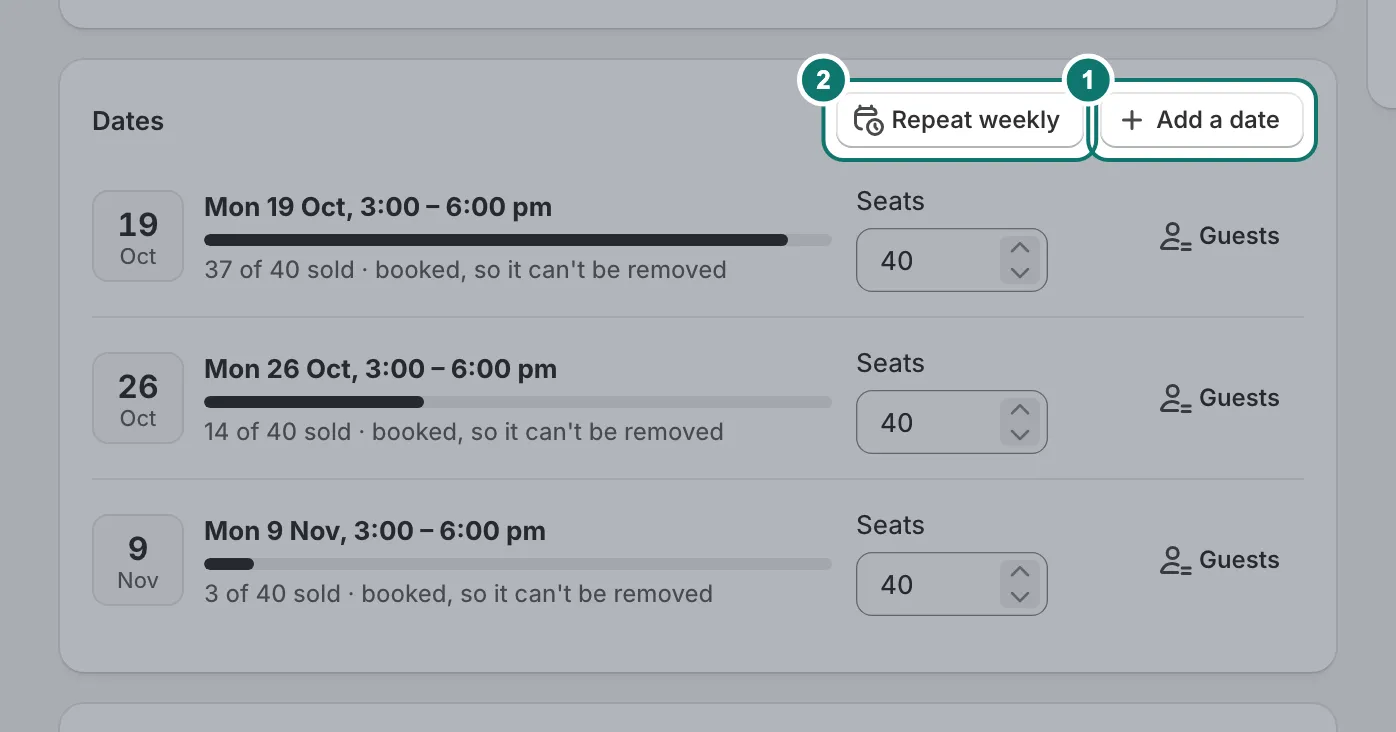
- Under Dates, press Add a date and set the time and the number of seats. Repeat weekly adds the same time on the following weeks.
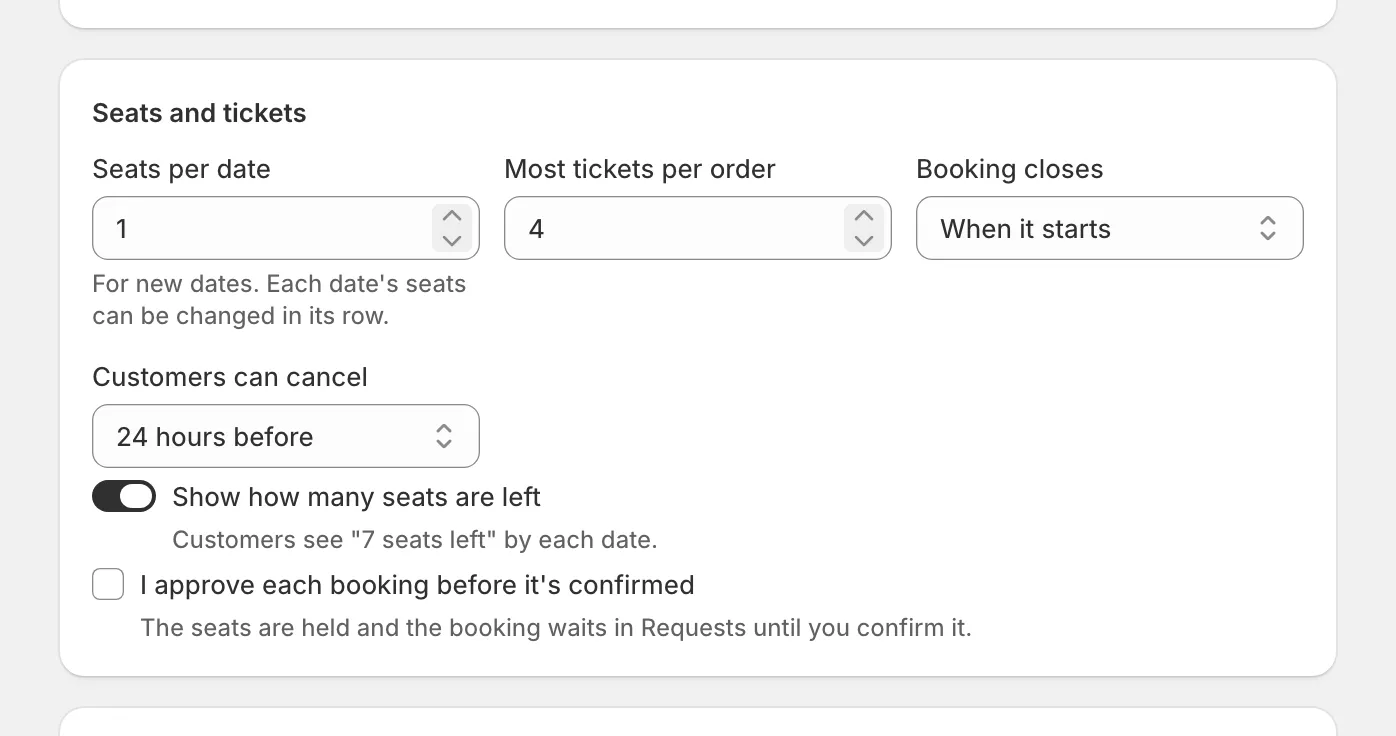
Seats and tickets
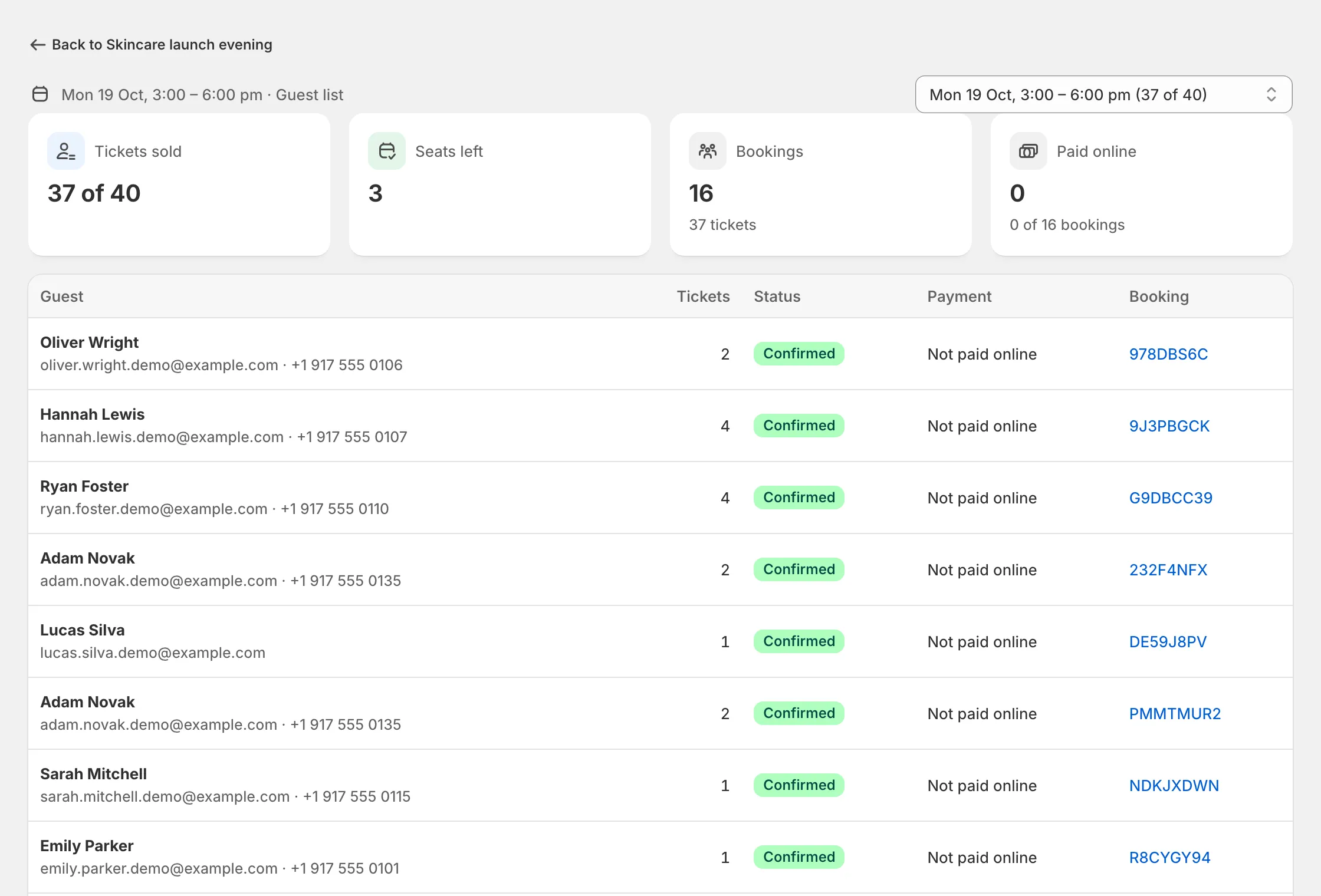
- Each date shows how many seats are sold, for example “37 of 40 sold”.
- A date can never be oversold, even when many people book at the same moment.
- Set the most tickets one customer can book at once.
- Customers see how many seats are left. You can hide that.
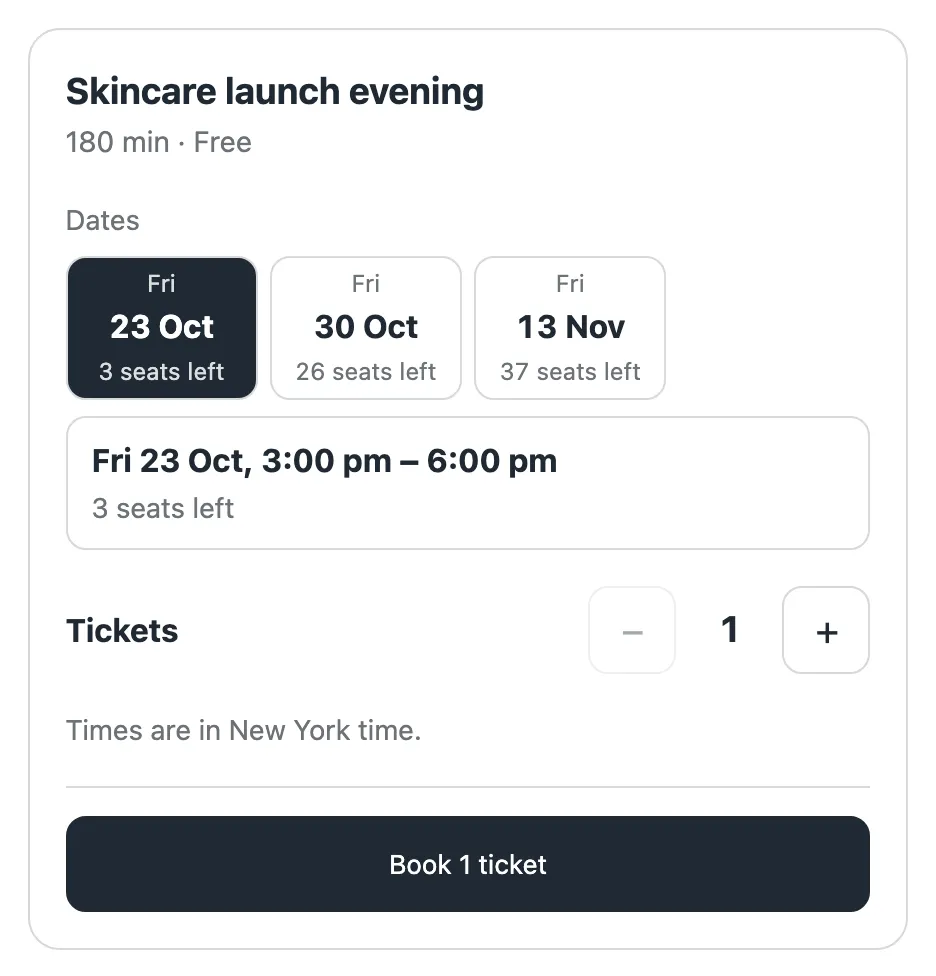
On the store, customers pick a date, see the seats left, choose how many tickets and book.
Guest lists
Press Guests on a date to see who’s coming and how many tickets each person has. Download the list as a spreadsheet (CSV) for the door.
Changing a date
You can move a date’s time or close it to new bookings. A date that already has bookings can’t be deleted; move or cancel those bookings first.