Bookmerce emails your customers when something happens to their booking. Every message says exactly what was booked, when, where, and what was paid or is still due.
The messages
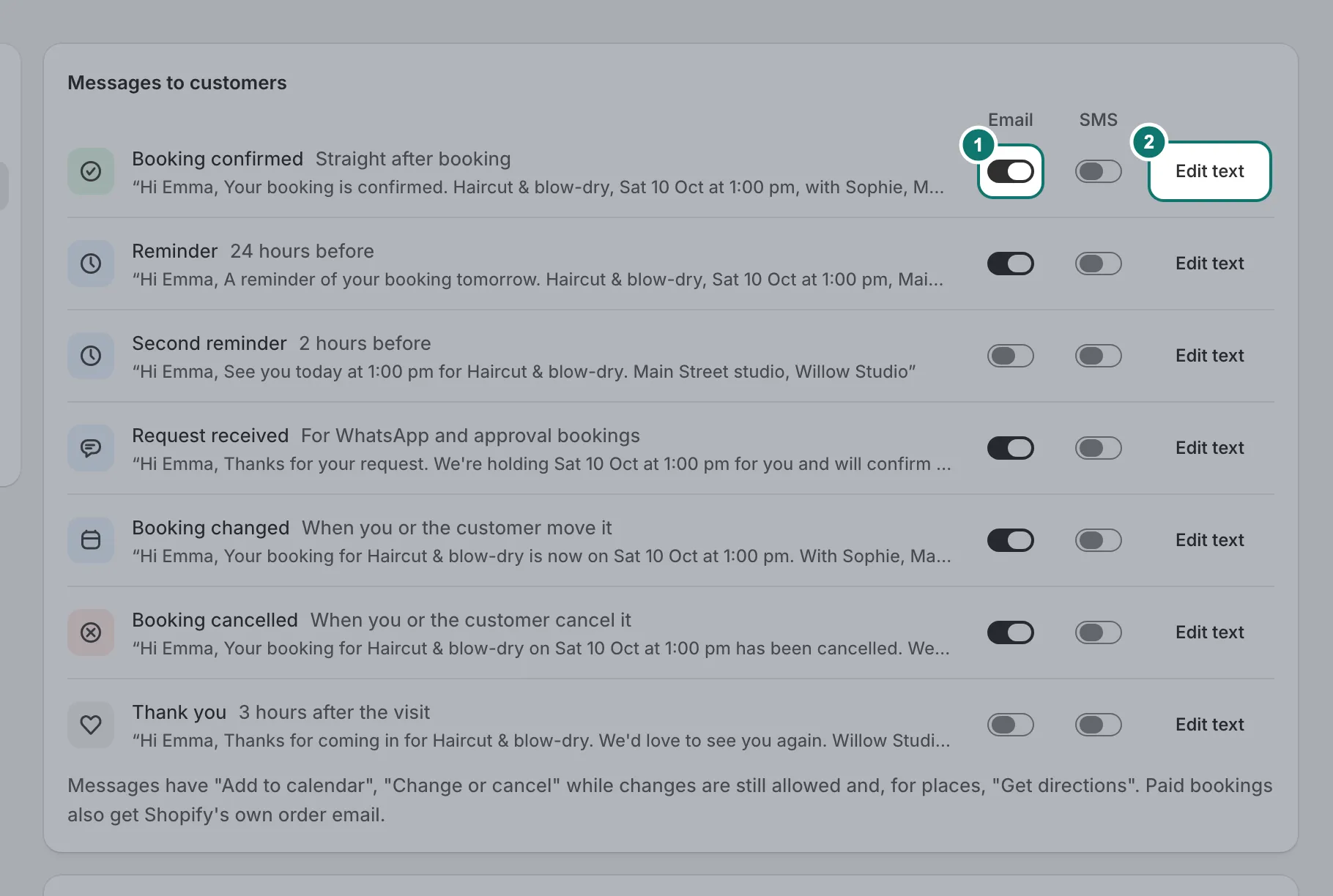
Settings › Notifications lists every message, when it goes out and a sample of what it says:
- Booking confirmed, straight after booking.
- Request received, for requests on WhatsApp and services you approve first.
- Booking changed and Booking cancelled, when you or the customer move or cancel it.
- Reminders, 24 hours and 2 hours before the visit. A reminder is skipped when the booking is made too close to its time.
- Thank you, 3 hours after the visit ends.
Each email shows the booking as a calendar entry (the date, the time, who and where) with Add to calendar, Get directions for places, and Change or cancel while changes are still allowed. Paid bookings also get Shopify’s own order email.
Your logo and a preview
Under How your emails look, press Add logo to put your logo at the top of every email (without one, your store’s name is shown). Pick any message under Preview to see it exactly as your customers will, with a made-up booking. While you edit a message’s text, the preview shows your changes as you type.
Change the wording
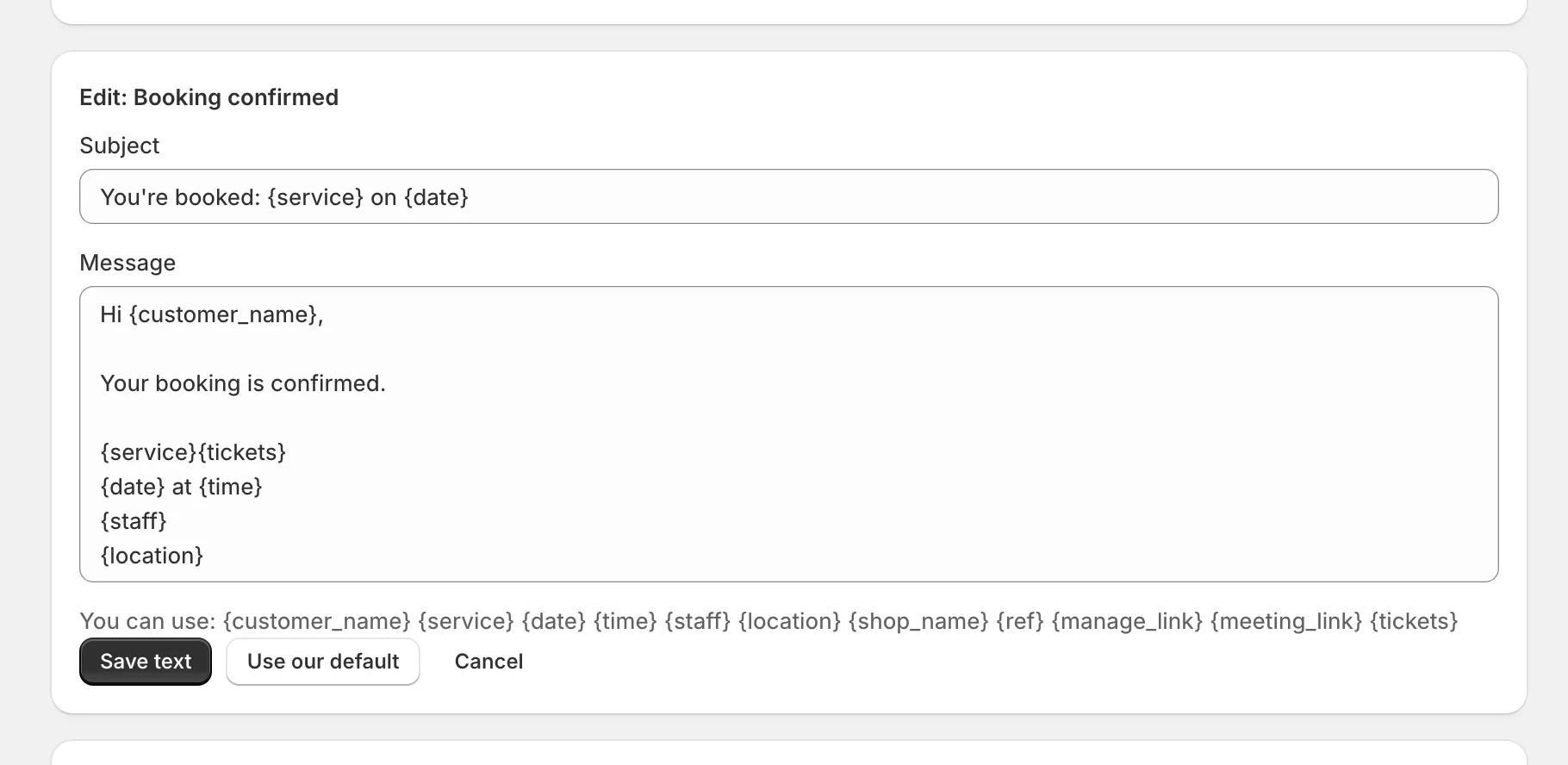
Press Edit text next to a message. Use the words in curly brackets, like {service} and {time}, to fill in the booking’s details. Use our default puts the original text back.
Who it’s from
Emails go out in your store’s name, and when a customer replies, the reply comes to you.
Languages
The booking form follows the language your customer is browsing your store in: English, or Urdu with right-to-left layout.